

Staking in Nimiq is designed to be simple: choose a validator, stake your NIM, and earn rewards while helping secure the network. Crystal-clear. But some staking operations cannot finish in one go. The protocol requires a waiting period before the final step can happen, and until now, that final step meant coming back to the wallet and signing it yourself.
With a recent wallet update, we've removed that second visit by integrating the Watchtower into the staking flow. This covers two things: completing unstaking and switching validators. You still initiate and authorize both. The difference is that the final transaction is pre-signed when you start the operation and scheduled to be sent by the Watchtower once the waiting period ends. Both changes replace two user actions with one, and introduce no new settings. They simply make staking more reliable and remove friction from what should be a routine action.
What is the Watchtower?
The Watchtower is a background service that monitors the Nimiq Proof-of-Stake network and reacts to specific on-chain conditions.
In simple terms, the Watchtower:
- watches the blockchain state,
- waits for specific conditions to be met,
- and executes pre-approved actions at the right time.
This is not a new concept in Nimiq, and it’s not something users interact with directly. It exists to send transactions the user has already signed, at the moment the chain state allows them to go through.
The Watchtower never controls your funds. It can only broadcast the transactions you have pre-signed and pre-authorized yourself.
What changes?
The unstaking flow has been simplified. It now takes a single interaction, at a single point in time, and removes the follow-up interaction it previously required. Before getting into what changed, let's take a look at how unstaking worked until now.
Unstaking before: safe, but fragmented
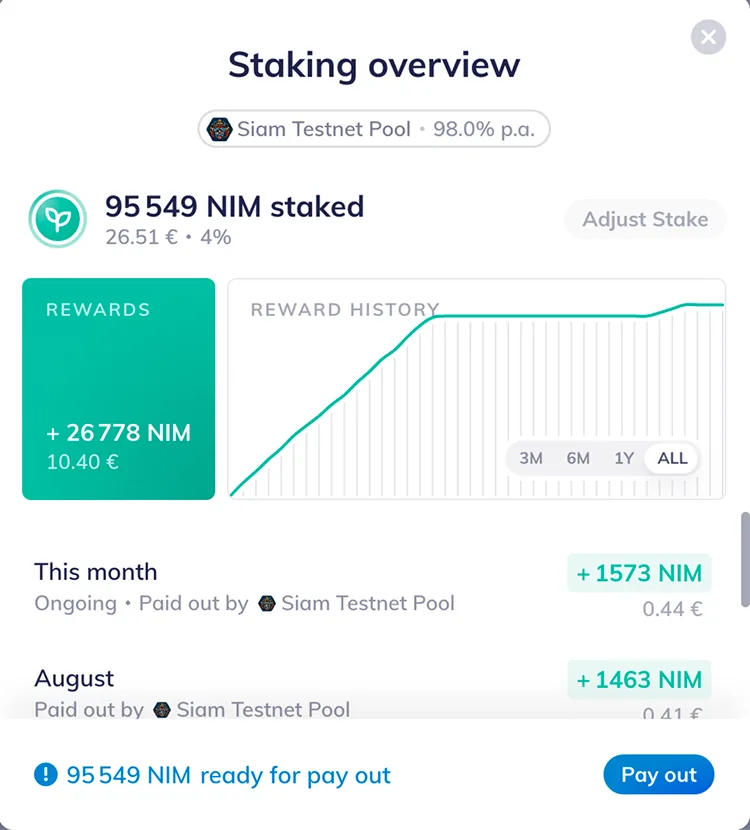
Unstaking in the wallet followed a two-step process:
- Deactivation
- When a user initiates unstaking, their stake enters a mandatory deactivation period.
- This waiting window lasts approximately 12–24 hours (more on that later).
- Payout
- Once deactivation is complete, users must return to the wallet.
- They need to manually sign follow-up transaction to "claim" or pay out their funds.
This design ensures network safety and fairness, but it also means users have to return once their funds become "unlocked". If they don't, the unstaking process remains unfinished until that final step is completed.
Switching validators before: safe, but manual
Switching validators wasn’t a single action either. Because the protocol doesn’t allow moving stake directly from one validator to another, the process required two fully separate flows:
- Unstake from the current validator
- The user had to initiate unstaking and wait through the full deactivation period, up to 24 hours under normal conditions.
- Only once that was complete could they return and claim their funds.
- Re-stake with the new validator
- With funds back in their wallet, the user then had to manually open the staking flow again and select a new validator.
Two separate actions, waiting time in between, and no continuity between the two steps. If the user forgot to return after unstaking, the switch never completed.
The problem we wanted to solve
Under normal conditions, unstaking can take 12 to 24 hours due to protocol rules. If a validator is jailed, withdrawals remain blocked for up to four days until the jail period ends. You can read about the technical process here.
Once the waiting period is over, the final step is simple: retire the inactive stake and withdraw immediately. From a user’s perspective, though, this second step is easy to forget and adds unnecessary mental overload to a routine action.
For validator switching, the friction was compounded. Not only did users face the same deactivation wait, but they also had to come back and take a second action. This time to re-stake with the new validator. The process felt disjointed for something that should be a single decision.
The most common issues were:
- having to come back just to finalize the process
- extra friction for something that feels like it should just finish on its own
We wanted to preserve the protocol guarantees while improving the staking experience.
Enter the Watchtower
To address this, the wallet now uses the Watchtower to automate the completion of both flows. Instead of requiring users to return and manually complete the process, it now finishes automatically once the waiting period ends.
Automatic unstaking
With this update, the unstaking flow becomes:
- The user initiates unstaking as usual.
- The wallet prepares the required follow-up transactions in advance.
- Those transactions are securely pre-signed by the user.
- The Watchtower waits for the deactivation period to end.
- Once the waiting window is over, the Watchtower automatically broadcasts the payout transactions.
Mind that the Watchtower can fail. If it does, the wallet picks the process back up. Depending on the chain state at that moment, it will either offer you the option to finalize the flow manually, or ask you to sign a new set of Watchtower transactions matching the new state.
Visually, the wallet will typically no longer show the "pay out" button after the waiting period, since the payout now happens automatically. If the automatic payout does not succeed, a button is still available to finalize it manually.
Switching validators
The same Watchtower logic also powers validator switching. When a user decides to move their stake to a different validator, they can now simply select the new one in the wallet and pre-sign the transactions. The Watchtower takes it from there. It waits for the deactivation period, then automatically initiates the stake with the new validator.
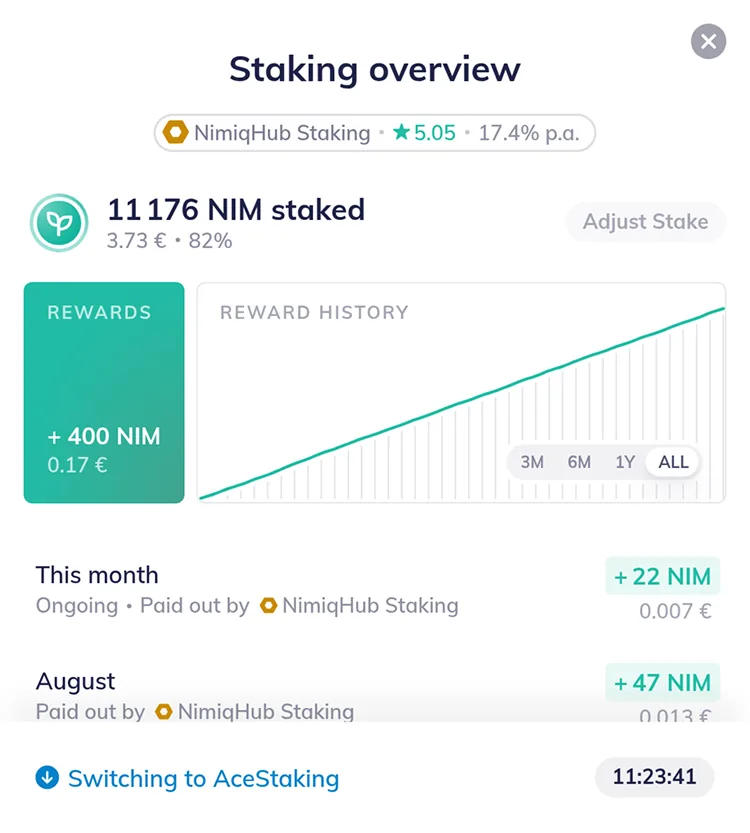
You know it's working because when you initiate the validator switch, the wallet shows "Switching to" followed by the name of your new validator. This is expected because the protocol requires your staked funds to be fully deactivated before they can be delegated to a new validator. It does not require the retire and remove steps that the wallet also groups under "unstaking". If you are curious about what happens behind the scenes, check our documentation on switching validators here. The difference here is that the Watchtower will automatically take the next step, triggered by the pre-signed transactions. You don't need to return or take any further action.
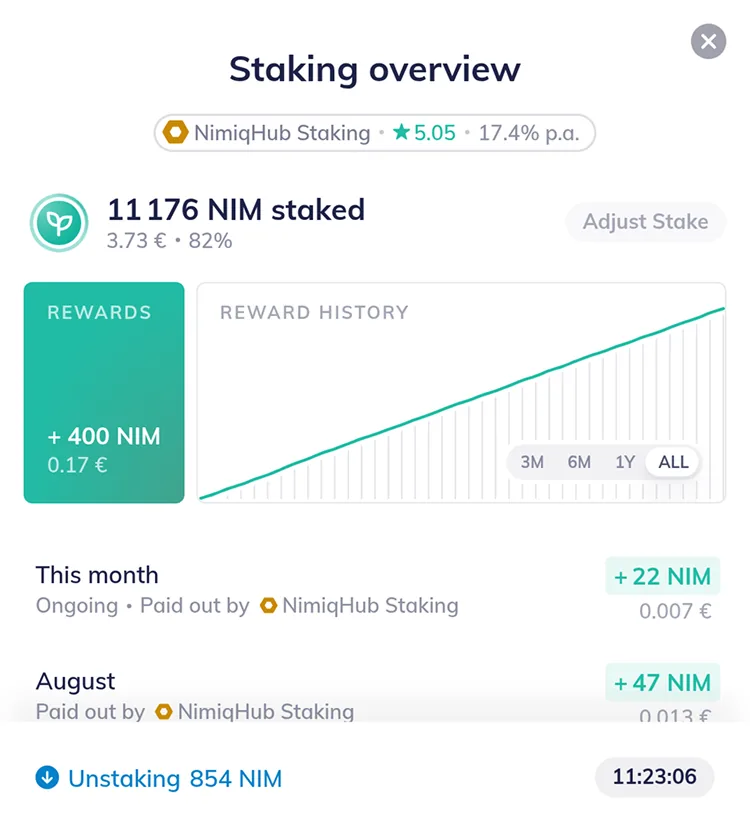
Both features result in the same outcome: users only need to take one action instead of two.
What do I need to do?
Nothing!
When visiting wallet.nimiq.com, you see a small banner at the bottom indicating a wallet update. Once updated, both unstaking and switching validators work the same way as before, just with fewer steps. This wasn’t meant to be a big feature launch. It’s a thoughtful design improvement that aligns with our goal of simplifying everyday staking interactions.
Pura vida
Team Nimiq