
Worry-free self-custody has always been a core principle of the Nimiq Wallet. Today, we are announcing a new way to recover your keys: the Nimiq Backup Codes, our most innovative recovery method yet.
The Nimiq Backup Codes don't replace Login Files or Recovery Words. They exist to address a common pain point: losing access to a wallet when a Login File is lost or a password is forgotten and the user never wrote down their Recovery Words. They are designed to recover the entire account, and not just to access the wallet. Our goal is to make self-custody management of crypto and its keys smooth and worry-free for users.
This post explains what the Nimiq Backup Codes are, what they are not, and why they were added.
The Motivation
Managing keys has been one of the main hurdles in onboarding users into crypto. This remains an important challenge to solve, and we’re committed to making crypto as easy as possible to manage without compromising on security or self-custody. This is what we call worry-free self-custody.
The Nimiq Wallet already supports two recovery mechanisms — Login Files and Recovery Words — each with clear strengths and weaknesses.
While Recovery Words are the standard in the crypto space, they tend not to be the most user-friendly way to secure a wallet. You write the words down, store them offline, and forget about them. Many users skip the step entirely.
Later, we introduced Login Files, which made it easier to access wallets day to day. They feel familiar and convenient, but if the file is lost or the password is forgotten, access is gone unless Recovery Words exist.
Although Recovery Words remain the strongest security option when stored correctly offline, the Nimiq Backup Codes are a more accessible and user-friendly recovery option. They can be used as an alternative to, or alongside, Recovery Words.
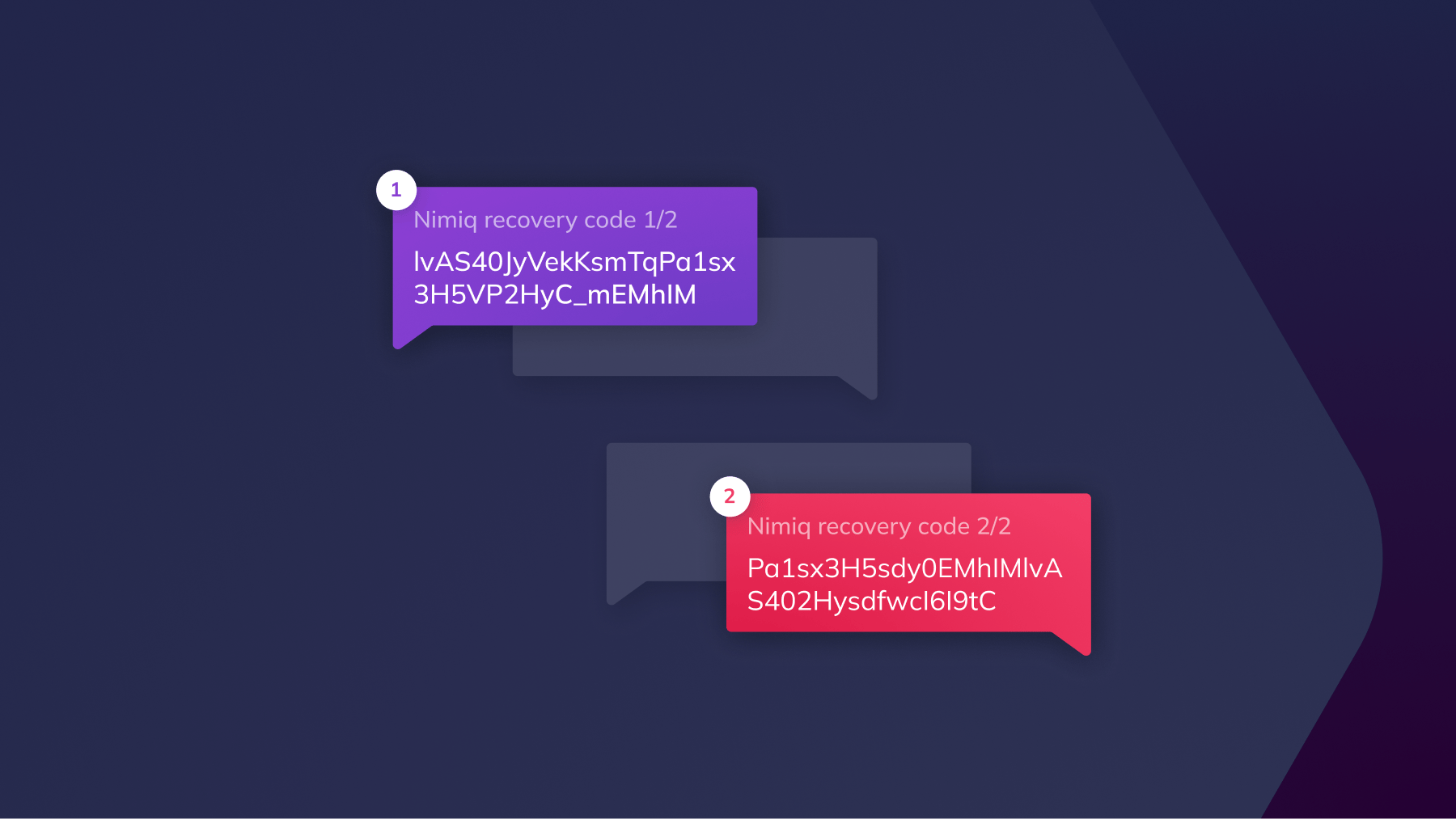
The Nimiq Backup Codes are designed to be stored online and are created as two separate codes. Access to the wallet is only possible when both codes are combined, meaning that even if one code is compromised, the account remains secure as long as the second code is not.
The Nimiq Backup Codes recover the entire account, not just the password or Login File. Whether you can’t find the Login File or forget its password, the account can be fully recovered by combining both Backup Codes. After, a new password can be set and a new Login File downloaded.
What the Nimiq Backup Codes are (and aren't)
The Nimiq Backup Codes are designed to help users recover their entire account if they lose their Login File or forget their password, without relying on paper-based seed phrases.
The Nimiq Backup Codes are generated locally, remain valid even if the password changes, and can be safely stored online when split across two independent platforms. As it should be, backup codes are not a server-side or custodial recovery option. They are instead an account-level recovery mechanism derived locally from the same master seed as the wallet.
The Nimiq Backup Codes are split into two independent codes:
- Both codes are required to recover an account
- Either code alone is useless
- The order does not matter
The split is intentional. It allows users to store each code separately, reducing the risk of single-point compromise. Together, they allow recovery of the full account, including your NIM, BTC, USDC and USDT balances.
How to store the Nimiq Backup Codes
The Nimiq Backup Codes are designed for digital storage, with clear constraints.
Users are expected to:
- Store each code on a different platform
- Never store both codes in the same place
- Keep them for themselves, not share them with others
Usage hints
When sending or saving a Backup Code, add enough context so you can easily identify it later. For example:
- Mention that the message contains a “Nimiq Backup Code”
- If you have multiple accounts, note which account the code belongs to
- Indicate where the other Backup Code is stored (for example: “Second code stored in password manager”)
Security advice
- Treat the Nimiq Backup Codes like full account access. Both codes combined grant unrestricted and irreversible access to the account.
- Always use two different platforms or services. Do not store both codes on the same platform, even if they are sent to different contacts.
- Follow general security best practices: use strong, unique passwords and avoid reusing passwords across platforms.
- If you suspect a security breach, recover the account and migrate funds to a new account.
In practice, this means storing Code A and Code B in two different services, such as:
- Email + SMS
- WhatsApp + Telegram
- Password manager + iCloud Notes
Tip: A common approach is to send one code to yourself using a messaging or email service you already use, and store the second code in a different place, such as a password manager or secure notes app. The wallet guides you through this process and explains how to send each code to yourself safely.
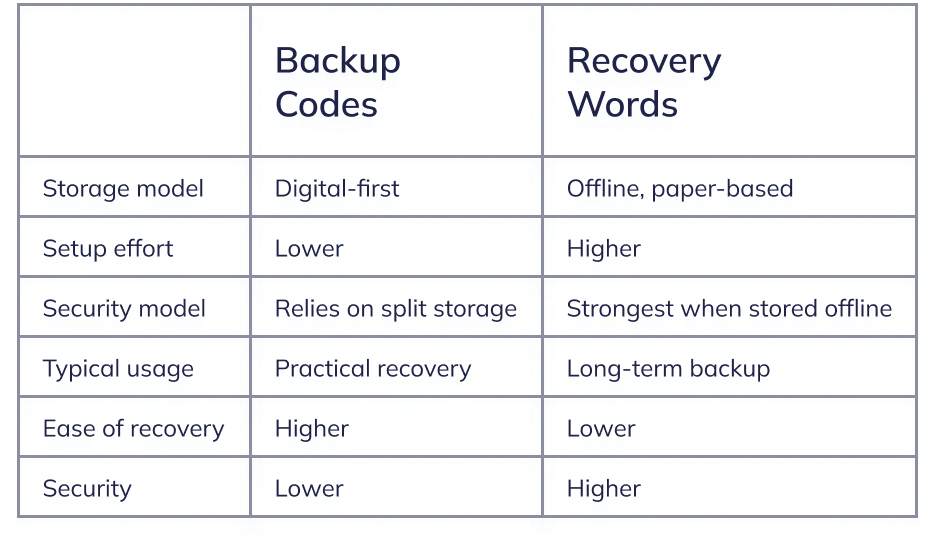
At first glance, the Nimiq Backup Codes may seem similar to Recovery Words, but they have practical differences that make them easier to use while preserving security through separation.
Setting up the Nimiq Backup Codes
The Nimiq Backup Codes can be set up during wallet creation or later from the account’s menu in the Wallet's sidebar. The wallet guides users through generating and confirming both codes before completing setup.
Security boundaries
The Nimiq Backup Codes do not change Nimiq’s security assumptions.
- Nimiq never sees the codes
- There is no server-side recovery
- Losing all recovery material remains final
The Nimiq Backup Codes reduce friction, but they don't remove responsibility. Recovery Words remain the most secure option and are recommended for long-term storage. Backup Codes are a more accessible alternative that makes account recovery realistic for everyday use.
You might be wondering whether simply splitting the 24 Recovery Words into two chunks of 12 might already achieve the same as using two backup codes, and thus why we’re introducing them. There is a key difference between the Nimiq Backup Codes and splitting the Recovery Words into two sets. If an attacker gains access to 12 out of 24 recovery words, they already get up to 132 bits of the key’s entropy, reducing the remaining search space to 2^124 possibilities. While still large, this makes brute-forcing the key significantly easier than starting from scratch. In contrast, access to a single Backup Code reveals no partial information about the account’s underlying key material. Only the combination of both codes allows recovery.
Further improvements
Losing access to a wallet is serious, regardless of the recovery method. Ideally, users should always have at least two recovery options enabled, such as:
- Login File + Recovery Words
- Login File + Nimiq Backup Codes
To support this, the wallet now includes reminders that encourage setting up at least one additional recovery mechanism based on account balance and usage. These are meant to reduce the chance of ending up with only a single point of failure.
At the same time, the Recovery Words flow is getting a small facelift to better align it with the new Nimiq Backup Codes flow, making recovery setup more consistent across methods.